
Fingerprint vs Keypad Smart Lock: Which Is Better? (2026 Guide)
Choosing a smart lock often comes down to one important question: fingerprint vs keypad smart lock – which is better?
Both options remove the need to carry a traditional key every time you enter your home. However, they work differently and each has advantages depending on who uses the door, how frequently access needs to be shared, and the type of property.
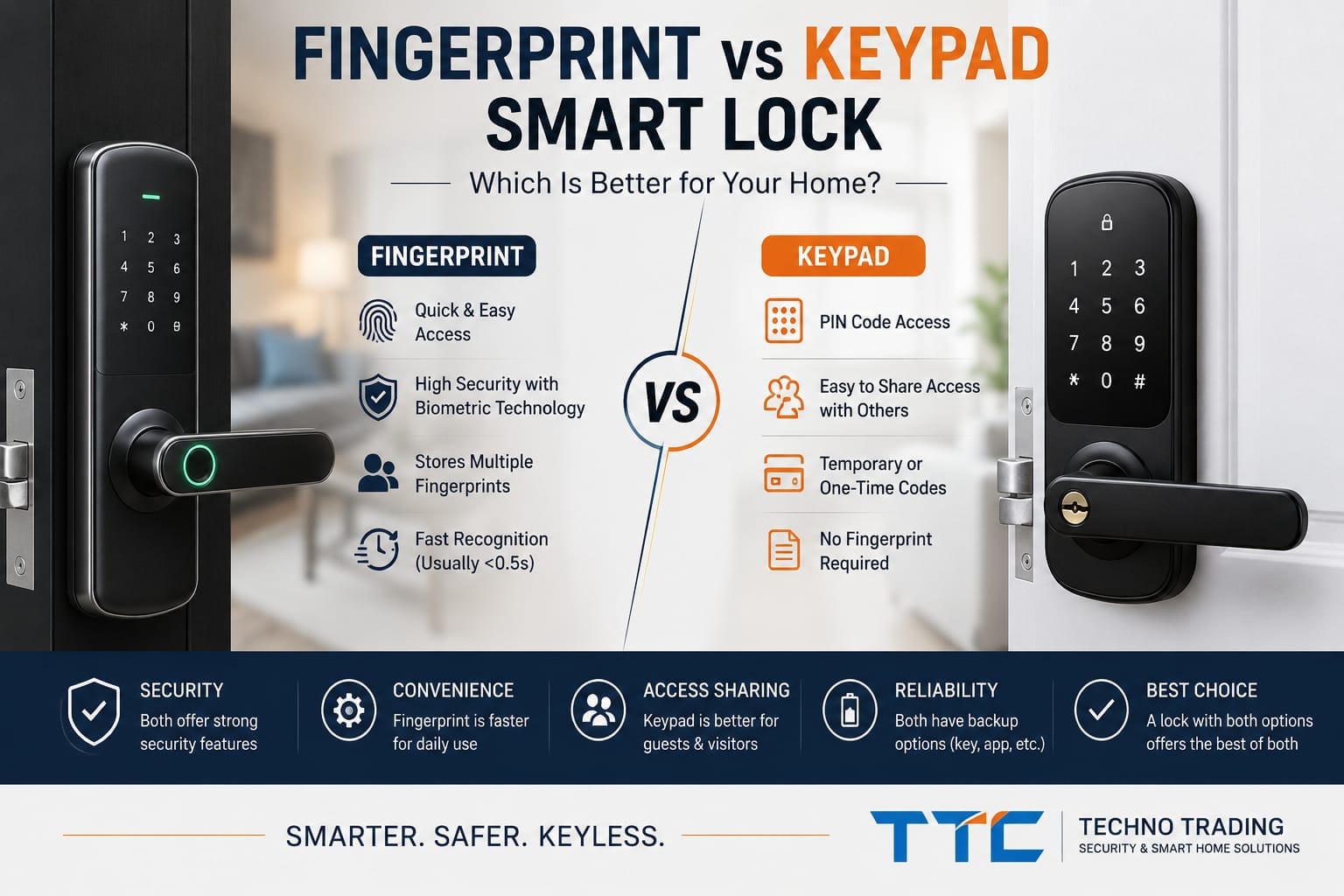
A fingerprint smart lock can provide extremely quick everyday access because your fingerprint becomes your key. A keypad smart lock, on the other hand, allows entry using a PIN code and can be particularly useful when several people, guests, cleaners or contractors need access.
Many modern smart locks actually combine both methods, allowing homeowners to use fingerprint recognition for everyday entry while keeping PIN codes available as an alternative.
In this guide, we compare fingerprint vs keypad smart locks to help Australian homeowners understand which option may be better for their property.
Fingerprint lock vs keypad smart lock is a common comparison for homeowners choosing fast and convenient keyless entry.
Fingerprint vs Keypad Smart Lock: What’s the Difference?
The main difference is how the lock verifies the person trying to enter.
A fingerprint smart lock uses a biometric sensor to recognise a fingerprint that has previously been registered in the lock.
A keypad smart lock requires the user to enter an authorised PIN or access code.
Both methods can provide convenient keyless entry, but the experience is different.
With fingerprint access, there is usually nothing to remember or carry. With keypad access, you need to remember the correct code, but that code can potentially be shared with another authorised person without them being physically present to register a fingerprint.
How Does a Fingerprint Smart Lock Work?
A fingerprint smart lock contains a biometric sensor.
During setup, authorised fingerprints are registered in the lock. When someone places a registered finger on the sensor, the system compares the scan with the stored fingerprint data.
If the fingerprint is recognised, the door can unlock.
Modern fingerprint smart locks can be very fast. For example, some current biometric smart locks sold in Australia advertise fingerprint recognition in less than half a second.
This makes fingerprint access particularly convenient for frequently used doors.
How Does a Keypad Smart Lock Work?
A keypad smart lock allows an authorised user to unlock the door by entering a PIN.
Depending on the lock, you may be able to create several different codes for different users.
Some systems also support temporary, scheduled or one-time access codes.
This can be useful when you need to provide access to someone without giving them a physical key or registering their fingerprint.
For example, PIN access may be useful for:
Family members
Visitors
Cleaners
Tradespeople
Property managers
Short-term authorised access
Some current smart locks allow one-time or time-limited PIN codes, although the exact functionality depends on the model and its app or connectivity.
Which Is Faster: Fingerprint or PIN?
For everyday entry, fingerprint is usually the more convenient option.
Instead of entering several digits, you simply place your registered finger on the sensor.
For someone entering and leaving their home several times every day, this difference can make fingerprint access feel significantly more convenient.
It can also be useful when you are carrying shopping bags or other items and don’t want to enter a code manually.
However, fingerprint performance depends on the quality of the sensor and environmental conditions.
Are Fingerprint Smart Locks Reliable?
Modern biometric technology has improved considerably, but fingerprint recognition is not perfect in every situation.
A sensor may occasionally have difficulty recognising a fingerprint if the finger is:
Wet
Dirty
Very dry
Injured
Incorrectly positioned
Sensor quality also differs between smart lock models.
For this reason, a good fingerprint smart lock should ideally provide another authorised entry method as a backup.
This could include a PIN, card, mobile app or mechanical key depending on the model.
What Is the Biggest Advantage of a Keypad Smart Lock?
The major advantage of PIN access is easy access sharing.
Imagine a family member needs to enter your property but does not have a registered fingerprint.
With an appropriate smart lock, you may be able to provide an authorised code instead.
This becomes particularly useful for properties where access changes regularly.
For example, if a cleaner needs access on a particular day, an appropriate system may allow a temporary or scheduled code rather than providing a permanent physical key.
What Is the Biggest Advantage of Fingerprint Access?
Fingerprint access is extremely convenient for regular users.
You don’t need to remember a code.
You don’t need to find your phone.
You don’t need to carry a card.
And you don’t need to take a physical key out of your pocket.
Your fingerprint becomes the credential.
For homeowners who primarily want quick everyday entry, this can be one of the most useful smart lock features.
Can Someone Guess Your Smart Lock PIN?
A weak PIN can create unnecessary security risk.
Simple codes such as birthdays, repeating numbers or obvious sequences should be avoided.
Users should choose PINs that are difficult for another person to guess and should avoid unnecessarily sharing permanent access codes.
Some smart locks include additional keypad security features designed to make PIN observation more difficult.
For example, some current locks use shuffled or changing keypad layouts intended to make it harder for another person to determine the actual code by watching the keypad.
Can Someone Copy Your Fingerprint?
Fingerprint access should not be viewed as magic or completely infallible security.
The actual security of a biometric lock depends on the quality of the fingerprint sensor, how biometric information is processed, the lock’s electronics and the physical locking mechanism.
This is another reason why homeowners should evaluate the entire smart lock, rather than choosing a product simply because the word “fingerprint” appears on the packaging.
Physical lock quality remains important.
Fingerprint vs PIN for Families
For many families, fingerprint access can be excellent for regular household members.
Parents and other frequent users can register their fingerprints and enter quickly without remembering codes.
PIN access can then provide flexibility for other authorised users.
This is where having both methods becomes particularly useful.
Instead of deciding that everyone must use fingerprint or everyone must use PIN, different people can use whichever authorised method is most appropriate.
What About Children?
This depends on the child’s age and the particular smart lock.
A fingerprint can eliminate the problem of a child forgetting or losing a traditional house key.
However, fingerprint recognition can vary between devices, and the lock needs to support the intended users reliably.
PIN access is another option for children who can confidently remember a secure code.
Parents should also consider whether the lock provides access records or notifications if they want additional visibility over when the door is used.
What About Older Family Members?
Ease of use should be considered individually.
Some people may find fingerprint access much easier than remembering a PIN.
Others may prefer entering a familiar code rather than using biometric technology.
For a multigenerational household, a smart lock offering several access methods can therefore be more practical than a lock restricted to one method.
Fingerprint vs PIN for Guests
For guests, PIN access usually has an important advantage.
Registering every temporary visitor’s fingerprint may be inconvenient.
An access code can be easier to provide and, on compatible locks, potentially revoked or configured for limited use later.
Some modern systems specifically offer one-time, limited-use or recurring access credentials for visitors.
This can be useful for properties where different people need authorised access at different times.
Which Is Better for Airbnb or Rental Properties?
For properties with frequently changing authorised occupants, keypad access can be particularly useful because codes can be easier to manage than fingerprints.
The important feature is not simply whether the lock has a keypad.
Property owners should check whether the particular lock allows:
Multiple access codes
Temporary codes
Scheduled codes
Code deletion
Remote management
Access history
These functions vary significantly between products.
For a normal owner-occupied home, fingerprint access may be used much more frequently than guest codes.
What Happens if the Fingerprint Sensor Doesn’t Recognise You?
This is why multiple unlocking methods are valuable.
If fingerprint recognition fails, an appropriate smart lock may still allow authorised access through another method such as:
PIN → App → RFID/Card → Mechanical Key
The available backup methods depend entirely on the selected model.
When choosing a smart lock, don’t only ask:
“Does it have fingerprint?”
Also ask:
“What happens if fingerprint access doesn’t work?”
That is a much more useful buying question.
What Happens if You Forget Your PIN?
Similarly, forgetting a PIN should not necessarily mean you are locked out.
Many smart locks provide alternative authorised access methods.
Depending on the product, this could include fingerprint recognition, an app, access card or mechanical key.
The administrator may also be able to manage access credentials through the lock’s associated system.
Again, functionality varies between manufacturers.
Do Fingerprint and Keypad Smart Locks Need Wi-Fi?
Not necessarily.
Fingerprint recognition and PIN verification can operate locally on many smart locks.
Wi-Fi or another network connection may instead be required for functions such as remote management, remote unlocking, notifications or integration with other smart-home systems.
This distinction is important.
A smart lock having an app does not automatically mean the internet is required every time someone uses their fingerprint or PIN at the door.
What Happens During a Power Outage?
Most residential smart locks are battery powered, so a household electricity outage does not automatically disable the lock.
However, batteries eventually need replacing.
Good battery management remains important regardless of whether you mainly use fingerprint or PIN access.
Many models provide low-battery warnings, and some provide emergency power options.
The exact backup method should always be checked for the specific lock.
Which Method Is More Convenient?
For the person who lives in the house every day:
Fingerprint usually wins for convenience.
For providing access to another authorised person:
PIN usually wins for flexibility.
That distinction makes the comparison much easier.
Fingerprint is excellent for “me getting into my house.”
PIN is excellent for “allowing someone else to get into my house.”
Why Having Both Is Often Better
For many households, the strongest practical choice isn’t actually fingerprint versus keypad.
It’s a smart lock that provides both.
Current smart locks available in Australia commonly combine fingerprint and PIN access, often alongside app control, cards or a mechanical key.
That gives regular users the speed of fingerprint recognition while retaining PIN access when sharing entry with another authorised person.
It also provides another way to enter if one access method is temporarily unavailable.
Features to Look for in a Fingerprint and Keypad Smart Lock
If you are comparing smart locks, consider more than the unlocking method.
Look at:
Fingerprint sensor quality
Number of supported fingerprints
Number of supported PIN codes
Temporary access options
Battery warnings
Emergency access
Mechanical key backup
App functionality
Access history
Auto-lock options
Door compatibility
Mortise and backset
Installation requirements
The best lock is not necessarily the model with the longest feature list.
It is the one that fits the door correctly and provides the access methods the household will actually use.
Fingerprint vs Keypad Smart Lock: Which Should You Choose?
If the smart lock will primarily be used by the same household members every day, fingerprint access is extremely convenient.
If you regularly need to provide access to guests, cleaners, family members or other authorised visitors, PIN access provides greater flexibility.
For many Australian homes, however, choosing a smart lock that offers both fingerprint and keypad access provides the best balance.
Regular users can unlock the door with a fingerprint, while PIN codes remain available for other authorised users and as an alternative entry method.
Professional Smart Lock Solutions in Melbourne
Choosing the access method is only one part of selecting the right smart lock.
The lock must also be compatible with the door, existing locking mechanism, door thickness, mortise and installation requirements.
Techno Trading provides smart lock solutions for homes and businesses across Melbourne.
We can help customers choose a suitable smart lock and professionally install and configure the system.
Phone: (03) 9969 7571
Mobile: 0415 214 452
Showroom: Thomastown, Melbourne
Frequently Asked Questions
Is fingerprint better than PIN on a smart lock?
Fingerprint access is generally faster and more convenient for regular users, while PIN access makes it easier to provide authorised access to other people. A lock offering both can provide the advantages of each.
Can a smart lock have both fingerprint and PIN access?
Yes. Many current smart locks combine fingerprint recognition and PIN access, often with additional methods such as mobile apps, RFID cards and mechanical keys.
Does fingerprint work without Wi-Fi?
On many smart locks, fingerprint authentication is performed locally and does not require internet access for normal entry. Network connectivity may be needed for remote features depending on the model.
Can I give a temporary PIN to a visitor?
Some smart locks support temporary, one-time or scheduled access codes. This feature varies by model, so it should be confirmed before purchasing.
What if my fingerprint doesn’t work?
A smart lock with multiple authorised access methods may allow you to use a PIN, app, card or mechanical key instead, depending on the model.
Is fingerprint or PIN better for Airbnb?
PIN access can be particularly useful where authorised users change frequently because compatible systems may allow temporary or revocable access codes.
Should I buy a fingerprint-only smart lock?
For a main entrance, having more than one authorised entry method can be useful. Fingerprint plus PIN and an appropriate backup method generally provides greater flexibility than relying on a single method.