
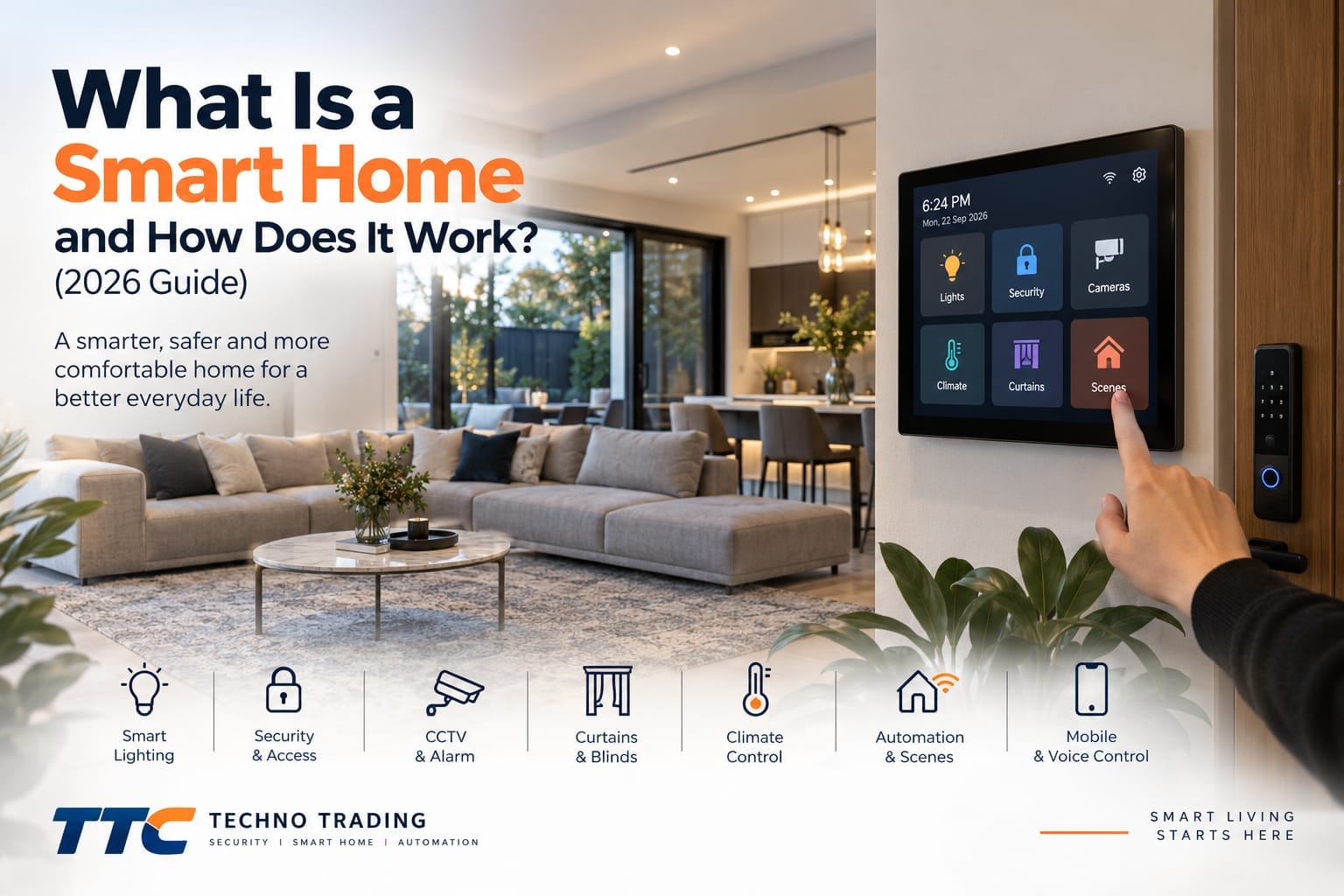
What Is a Smart Home and How Does It Work? (2026 Guide)
What is a smart home, and what actually makes a home “smart”?
A smart home is a property where connected devices and systems can be controlled, monitored and automated through technologies such as smart control panels, sensors, hubs, mobile apps and home automation platforms.
But a true smart home is more than a collection of devices connected to Wi-Fi.
A well-designed smart home can bring lighting, security, access, climate control, curtains, sensors and other compatible systems together so they can work as one connected environment.
For example, instead of opening several different apps every evening, a single “Good Night” scene could turn off selected lights, close compatible curtains, check doors and activate selected security functions.
In this guide, we explain how smart homes work, the technology behind them and what you should consider when planning a smart home system.
What Is a Smart Home?
A smart home uses connected technology to provide greater control, automation and monitoring of different systems around a property.
Depending on the design, a smart home may include:
• Smart lighting
• Smart switches
• Smart wall control panels
• Motion sensors
• Presence sensors
• Door and window sensors
• Smart locks
• CCTV cameras
• Alarm systems
• Video intercoms
• Smart curtains and blinds
• Climate control
• Garage door control
• Voice control
• Mobile control
• Automated scenes
These devices can operate individually, but the real benefit of home automation appears when compatible devices are able to communicate and work together.
How Does a Smart Home Work?
A smart home generally consists of several layers.
There are the physical devices, such as lights, switches, sensors, locks and cameras.
There may also be a hub, gateway or controller responsible for connecting compatible devices.
Finally, there is usually an interface that allows the homeowner to control the system.
This interface might be:
• A wall-mounted touchscreen
• A smartphone
• A tablet
• A physical smart switch
• A voice assistant
• An automated rule that requires no manual control
When these components are designed correctly, actions from one device can trigger responses from another.
For example, a presence sensor could detect someone entering a room and automatically turn on the lights.
When the room has been unoccupied for a set period, the lights could turn off again.
This is automation rather than simple remote control.
Smart Home Control Panels
A smart home control panel can provide a central interface for controlling multiple compatible systems.
Instead of relying entirely on a mobile phone, a wall-mounted panel can provide convenient access to frequently used functions.
Depending on the system, a control panel may provide access to:
• Lighting
• Scenes
• Curtains
• Climate control
• Security devices
• Door communication
• Sensors
• Other connected equipment
Control panels can be installed in practical locations such as an entrance, kitchen, living area or bedroom.
Some larger homes may use more than one control panel so that important functions can be accessed from different areas of the property.
What Is a Smart Home Hub?
A smart home hub acts as a communication point for compatible devices.
Some smart devices communicate directly through Wi-Fi, while others may use technologies such as Zigbee.
A hub or coordinator can allow compatible devices using these technologies to communicate with the broader smart home system.
The exact architecture depends on the products being used.
Some systems rely heavily on cloud services, while others can perform many functions locally within the property.
Understanding this difference is important when planning a reliable smart home.
Wi-Fi vs Zigbee in a Smart Home
Wi-Fi and Zigbee are both commonly used in connected homes, but they serve different purposes.
Wi-Fi is already available in most homes and is useful for devices that require higher network bandwidth or direct network access.
Examples may include cameras, video intercoms and some smart control panels.
However, connecting every small sensor and switch directly to Wi-Fi is not always the most practical approach.
Zigbee is commonly used for devices such as:
• Motion sensors
• Door sensors
• Presence sensors
• Smart switches
• Smart plugs
• Temperature sensors
• Other low-power devices
Compatible Zigbee devices communicate through a Zigbee network, typically using a suitable coordinator or hub.
The best smart home architecture may use more than one communication technology depending on the devices and required functionality.
What Is Smart Home Automation?
Automation allows a smart home to perform actions automatically when particular conditions are met.
The basic structure of an automation can be understood as:
Trigger → Condition → Action
For example:
Trigger: A presence sensor detects someone.
Condition: It is after sunset.
Action: The hallway light turns on.
Another example could be:
Trigger: No presence is detected in a room.
Condition: The room remains empty for two minutes.
Action: The lights turn off.
These simple rules can significantly improve the usefulness of a smart home because users do not need to manually control every device.
Smart Home Scenes
A scene allows several compatible actions to be activated together.
Rather than controlling each device individually, one command can change multiple systems at the same time.
Common smart home scenes include:
Good Morning
Selected curtains may open, lights may adjust and other morning functions may begin.
Leaving Home
Selected lights can turn off and compatible security functions can be activated.
Welcome Home
Entrance lighting and selected indoor devices can activate when you return.
Good Night
Selected lights can turn off, curtains can close and compatible security functions can be activated.
Movie Time
Lighting and compatible curtains can adjust to create a suitable environment.
Scenes should be designed around the way people actually use their homes rather than simply adding automation for the sake of technology.
Smart Lighting
Smart lighting is one of the most common starting points for home automation.
A smart lighting system can allow compatible lights to be controlled through:
• Wall switches
• Smart control panels
• Mobile apps
• Voice commands
• Timers
• Sensors
• Automated scenes
However, good smart home design should not make basic functions unnecessarily complicated.
People should still be able to walk into a room and use a wall switch normally.
Smart functionality should add convenience rather than remove simple manual control.
Motion Sensors and Presence Sensors
Sensors are an important part of smart home automation.
A traditional motion sensor detects movement.
This can work well in areas such as hallways, entrances and other spaces where people are usually moving.
Presence sensors can provide more detailed occupancy detection depending on the technology used.
This can be useful in areas where someone may remain relatively still for longer periods.
For example, a person sitting at a desk may not create enough movement for some traditional motion sensors.
The appropriate sensor depends on the room and the type of automation required.
Smart Locks and Access
Smart locks can add convenient access options to a connected home.
Depending on the lock, access methods may include:
• Fingerprint
• PIN code
• RFID card
• NFC
• Smartphone
• Mechanical key backup
• Facial recognition
• Palm recognition
Smart locks should still be selected according to the physical door.
Door thickness, mortise type, backset, available clearance and existing hardware can all affect compatibility.
A smart home system should therefore consider both the digital technology and the physical installation requirements.
CCTV and Smart Home Security
Security cameras can form another part of a connected home.
Modern CCTV systems may provide features such as:
• High-resolution video
• Night vision
• Full-colour night imaging
• Human detection
• Vehicle detection
• Smart notifications
• Two-way communication
• Active deterrence
• Mobile viewing
• Local NVR recording
CCTV should not necessarily depend entirely on cloud services.
Many professional IP camera systems can continue recording locally to an NVR even if the internet connection is unavailable.
Internet access is generally required for remote viewing and other online functions.
Smart Alarm Systems
Alarm systems can also form part of a broader smart home security strategy.
Depending on the system, components may include:
• Door and window sensors
• PIR motion detectors
• Sirens
• Keypads
• Remote controls
• RFID tags
• Mobile notifications
• Backup batteries
• Wi-Fi or cellular communication
Security functions should be planned carefully because reliability is more important than unnecessary automation.
Not every smart home function needs to be connected to every other function.
Video Intercom Systems
A video intercom can allow occupants to see and communicate with visitors before opening a door or gate.
Depending on the equipment, a video intercom system may include:
• Outdoor door station
• Indoor touchscreen monitor
• Two-way audio
• Video calling
• Door or gate release
• Mobile notifications
• Multiple indoor monitors
In a broader home automation system, compatible intercom functions may also be accessible from selected control interfaces.
Smart Curtains and Blinds
Motorised curtains and blinds can be incorporated into home automation when compatible equipment is used.
They may be controlled through:
• Wall controls
• Smart panels
• Mobile apps
• Voice commands
• Timers
• Automated scenes
For example, selected blinds could close as part of a Good Night scene.
They could also operate according to schedules or other automation conditions.
Smart Climate and HVAC Control
Climate control is another important area of home automation.
Depending on the HVAC system and available interfaces, compatible climate equipment may be incorporated into the smart home.
This could allow temperature or zone functions to respond to:
• Schedules
• Occupancy
• Scenes
• User commands
• Other automation conditions
Compatibility needs to be checked carefully because HVAC systems use different controllers, interfaces and communication methods.
A smart home system should be designed around the actual heating and cooling equipment installed at the property.
Smart Garage Door Control
Compatible garage door equipment may also be incorporated into a connected home.
Depending on the existing opener and selected smart equipment, users may be able to control or monitor the garage through a compatible interface.
The existing garage door opener should always be checked before selecting additional control equipment.
Can a Smart Home Work Without Internet?
This is an important question.
Some smart home functions can operate without an active internet connection when the system has been designed for local control.
For example, a compatible local sensor could trigger a compatible light through a local hub or automation platform without requiring the command to travel through an external cloud server.
However, internet access may still be required for functions such as:
• Remote access from outside the home
• Cloud-based voice assistants
• Certain mobile notifications
• Cloud storage
• Some manufacturer services
The exact behaviour depends on the equipment and system architecture.
A smart home that includes important local functions can reduce unnecessary dependence on an internet connection.
Local Control vs Cloud Control
Cloud-connected smart devices can provide useful features, particularly remote access.
However, cloud dependence should be considered when designing a complete smart home.
If an important automation requires communication with an external server every time it operates, internet or service interruptions may affect that function.
Local control allows selected automations to operate within the property.
A well-designed system may use both local and cloud functions, depending on what each device needs to do.
Can You Control a Smart Home From Your Phone?
Yes, many smart home systems provide mobile control.
Depending on the equipment and configuration, a smartphone may allow users to control compatible devices, monitor system status and access selected functions remotely.
However, the smartphone should not necessarily become the only way to use the home.
Physical switches, wall control panels and automatic routines can provide easier everyday operation.
The best interface depends on the function being controlled.
Voice Control in a Smart Home
Voice assistants can provide another convenient way to control compatible smart devices.
For example, voice commands may be used for lighting, curtains or selected scenes.
Security-sensitive functions should be considered more carefully.
Convenience should not override appropriate security controls, particularly for functions that affect property access or security.
Smart Home for New Builds
New construction provides an excellent opportunity to plan home automation before walls and ceilings are completed.
Early planning can consider:
• Network cabling
• CCTV cabling
• Control panel locations
• Intercom locations
• Sensor locations
• Smart switch requirements
• Equipment cabinets
• Wi-Fi coverage
• Future expansion
Planning these elements during construction can provide more options and cleaner installation later.
Can an Existing Home Become a Smart Home?
Yes.
A property does not need to be newly built to benefit from smart home technology.
Existing homes can often be upgraded using a combination of compatible wired, wireless and Zigbee devices.
The system can also be developed gradually.
For example, a homeowner might begin with lighting, a control panel and security devices before adding curtains, additional sensors or other automation later.
Can You Build a Smart Home in Stages?
Yes, and this can be a practical approach.
A smart home does not need to be completed in one project.
A staged approach might look like this:
Stage 1: Core control, lighting and security
Stage 2: Additional sensors and automation
Stage 3: Curtains, climate integration and additional rooms
Stage 4: Further integrations and customised automation
The important point is to plan the underlying architecture so future devices can be integrated where possible.
What Are the Benefits of a Smart Home?
When asking what is a smart home, it is also important to understand the practical benefits a properly designed system can provide.
Convenience
Common household functions can be controlled from convenient interfaces or automated.
Security
CCTV, alarms, access control and other security technologies can form part of a broader connected system.
Energy Management
Lighting and compatible climate systems can respond to occupancy, schedules and other conditions.
Accessibility
Centralised control and automation may make some household functions easier to operate.
Customisation
Scenes and automations can be designed around the routines of the household.
Expandability
A well-planned system can allow additional compatible devices to be added as requirements change.
What Should You Consider Before Building a Smart Home?
Understanding what is a smart home also means considering the overall system rather than purchasing individual smart products without a plan.
Important questions include:
What do you want to automate?
Which functions need to work locally?
Which functions require remote access?
What communication protocols will be used?
Will the devices work together?
Where will hubs and controllers be located?
How will the network be designed?
Can the system be expanded later?
How will security and privacy be managed?
Answering these questions first can help avoid creating a collection of unrelated smart products that require different apps and cannot work together effectively.
Smart Home Security and Privacy
Connected devices should be configured with security in mind.
Good practices include using strong passwords, keeping supported devices updated, protecting network access and carefully managing remote access.
It is also important to consider the support, compatibility and security standards of connected devices before adding them to a home.
Smart technology should make a home more convenient without introducing unnecessary complexity or avoidable security risks.
Professional Smart Home Planning
The most important part of a smart home is not the number of devices installed.
It is how well those devices work together.
A successful system should be:
• Easy to use
• Reliable
• Secure
• Expandable
• Appropriate for the property
• Designed around the household
Professional planning can help determine the appropriate network architecture, communication technologies, control interfaces and automation strategy before equipment is installed.
Smart Home Solutions in Melbourne
Techno Trading provides smart home solutions for new and existing properties across Melbourne.
Our smart home solutions can include lighting control, smart control panels, sensors, automation, smart locks, CCTV, alarm systems, video intercoms and other compatible technologies.
The system can be designed around your property and expanded as your smart home requirements grow.
If you are planning a smart home project, careful system design at the beginning can make future expansion significantly easier.
Frequently Asked Questions
What is a smart home?
If you are wondering what is a smart home, it is a property that uses connected devices, sensors, controllers and automation to control or monitor functions such as lighting, security, access, climate and other compatible systems.
Does a smart home need Wi-Fi?
Not every smart home device needs to communicate directly through Wi-Fi. Some devices may use technologies such as Zigbee and communicate through a compatible hub or coordinator.
Can a smart home work without internet?
Some locally